Recommended LVE Settings for WordPress (2025)
The core tool for managing resources in CloudLinux is the LVE Manager. But here’s the key question:
What are the ideal CPU, RAM, and I/O limits for a WordPress site so it doesn’t slow down or hit resource limits?
| Site Type | SPEED | PMEM | VMEM | IO | IOPS | EP | NPROC |
| Light (blog, landing pages) |
100% | 512MB | 0 | 2MB/s | 1024 | 20 | 40 |
| Medium (corporate, small shop) |
200–300% | 1–1.5GB | 0 | 5MB/s | 2048 | 50 | 80 |
| Heavy (WooCommerce, news portal) |
400–600% | 2–3GB | 0 | 10MB/s+ | 4096–10240 | 100–200 | 100–200 |
Understanding Each LVE Parameter, For Those Who Want a Deeper Look
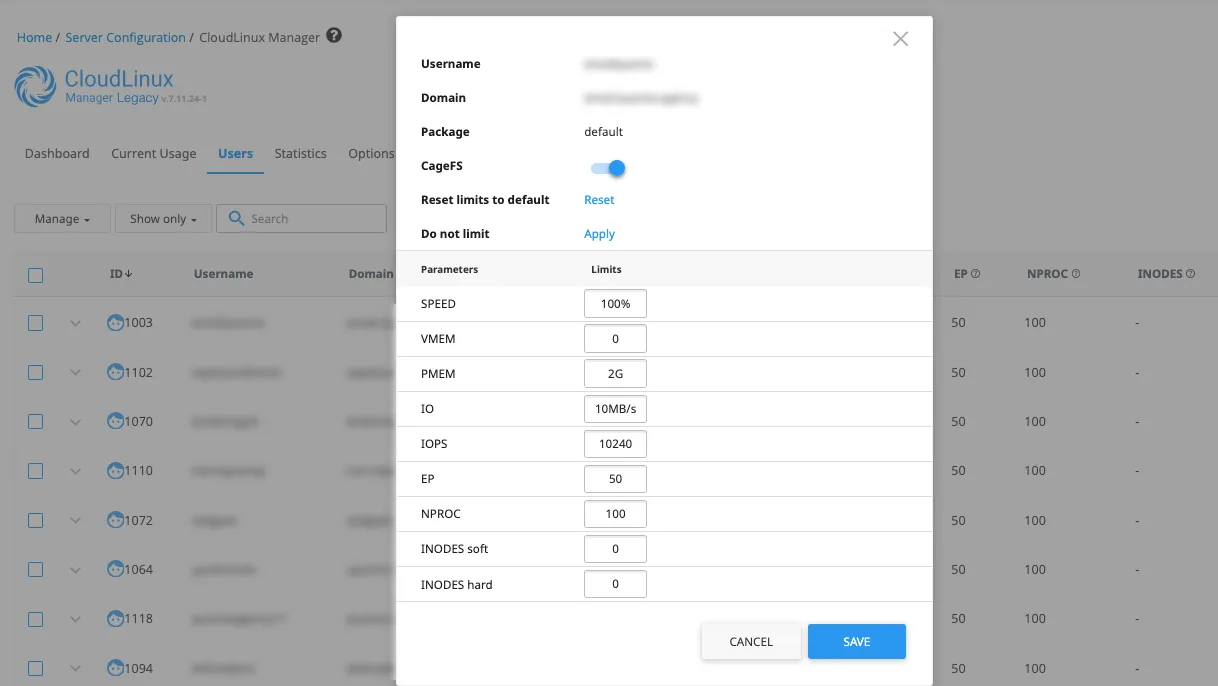
What is SPEED in CloudLinux?
SPEED controls the percentage of a single CPU core a user can use.
-
100%= one full core -
200%= two cores
Use this to cap how much processing power a WordPress site can consume. Light sites usually need 100%, while WooCommerce or traffic-heavy sites may need 400%–600%.
What is PMEM in CloudLinux?
PMEM stands for Physical Memory — the actual RAM allocated to the user’s processes.
Unlike VMEM, which allows swapping, PMEM represents real server RAM. When a site exceeds PMEM, its processes are terminated.
For WordPress sites, setting PMEM to 512MB–3GB depending on size and complexity is ideal.
What is VMEM in CloudLinux?
VMEM is Virtual Memory (swap space).
While it allows processes to continue beyond PMEM, it can slow down sites drastically. For WordPress, it’s usually better to set VMEM = 0 and only rely on PMEM.
What is IO in CloudLinux?
IO limits the disk throughput (read/write speed) for the user, measured in MB/s.
Low I/O (like 1–2MB/s) causes delays in loading pages, media, or running backups.
For WordPress, set:
-
2MB/s for small sites
-
5MB/s for medium
-
10MB/s+ for eCommerce or content-heavy sites
What is IOPS in CloudLinux?
IOPS stands for Input/Output Operations Per Second.
It limits how many file operations (like loading CSS, JS, images) a user can do simultaneously.
Heavy AJAX calls or dynamic filtering (common in WooCommerce) require higher IOPS.
What is EP (Entry Processes) in CloudLinux?
EP defines how many concurrent processes can enter PHP or CGI.
Think of this as simultaneous visitors.
If exceeded, users get 503 errors.
For WordPress:
-
20 is enough for blogs
-
50 for standard business sites
-
100+ for WooCommerce or high-traffic blogs
What is NPROC in CloudLinux?
NPROC limits the total number of processes a user can run, including background scripts, cronjobs, or PHP workers.
It should be set higher than EP to avoid process bottlenecks. WordPress sites typically work well with values between 40–200.
What are INODES in CloudLinux?
INODES represent the total number of files and directories allowed.
Set to 0 to disable the limit unless dealing with file-heavy sites (e.g., thousands of images, PDFs, backups).
Pro Tips Before You Apply
-
EP is the #1 cause of 503 errors — increase it for WooCommerce and media-heavy sites.
-
Avoid relying on VMEM. It slows everything down — PMEM is what matters.
-
High IOPS is critical for sites with dynamic queries and filters (like price range sliders).
-
Always pair with LiteSpeed + LSAPI for the best performance/resource usage ratio.
-
Use tools like Query Monitor or server logs to spot plugins abusing memory or DB queries.